Breakover
Breakover app icon

Inclinometer and G-force meter

Breakover turns your iPhone into an off-road instrument panel. Mount it, zero it, and see how far your vehicle leans before the trail decides for you, with no adapters, accounts or signal needed.

Coming soon. Get one email when Breakover launches, and nothing else.

  • iPhone
  • iPad
  • Works without signal
  • No account, no tracking
  • Keeps measuring when locked
  • VoiceOver and larger text

What it does

What it does

Breakover: Pitch and roll gauges

Pitch and roll gauges

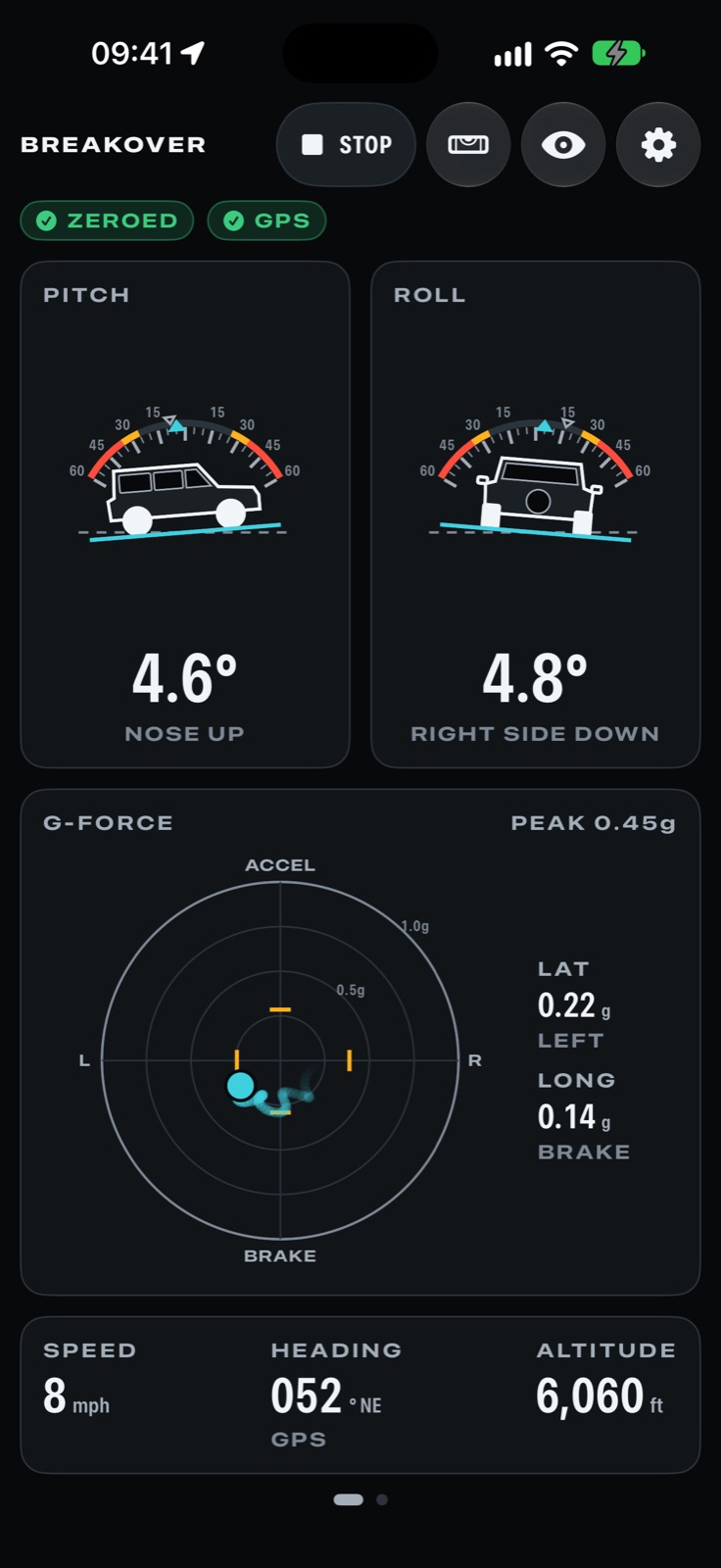
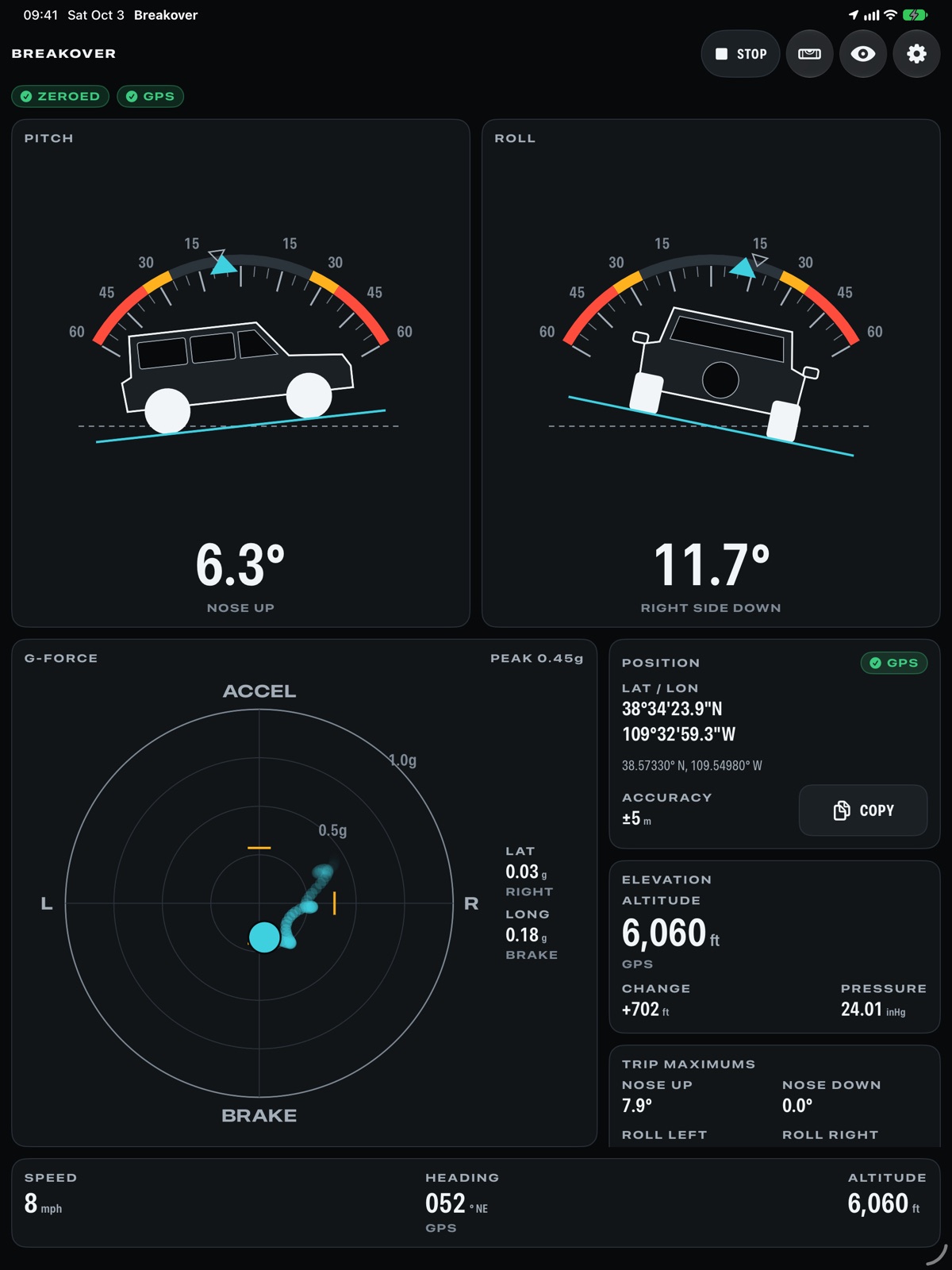
See how far your vehicle leans nose to tail and side to side, drawn at its real angle against the horizon.

Breakover: Zero to any mount

Zero to any mount

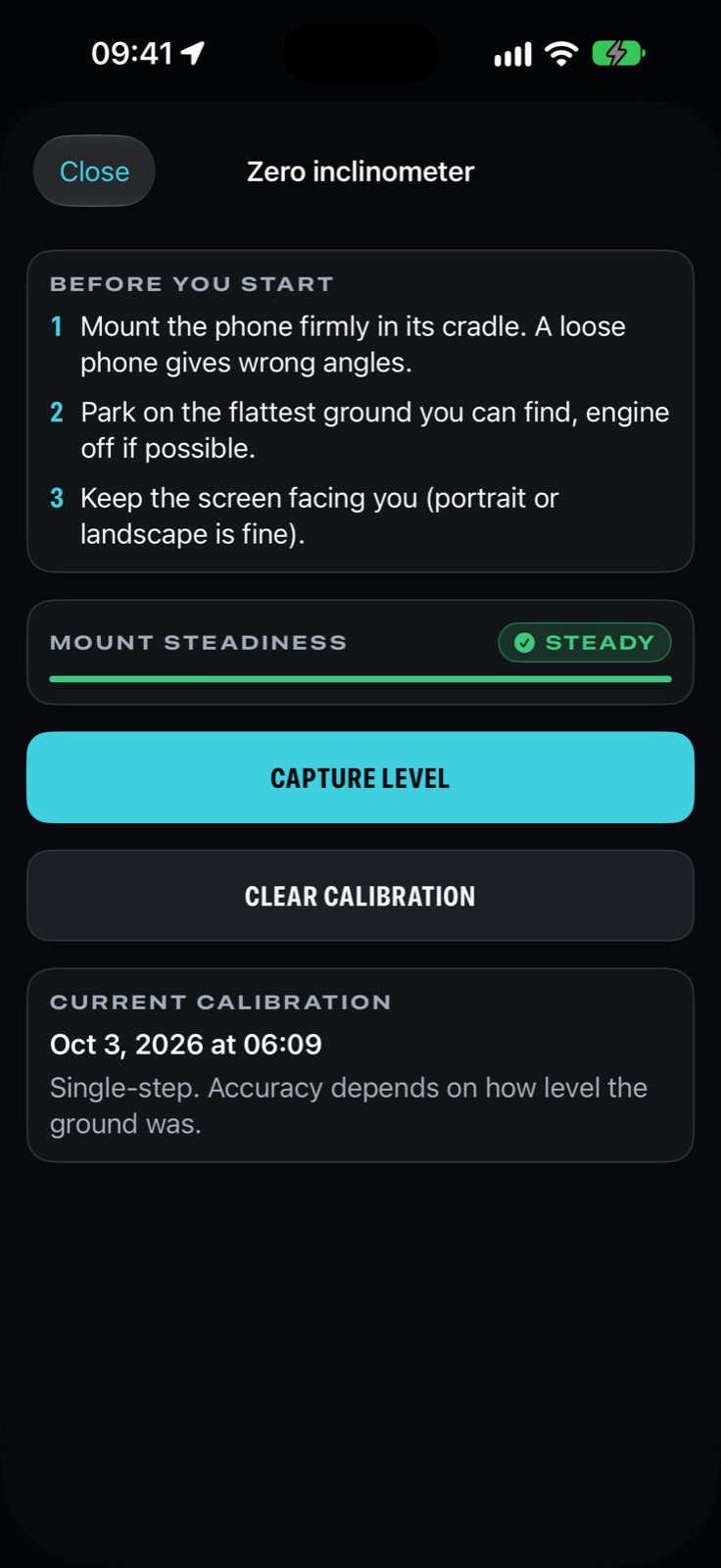
Zero in about 30 seconds on level ground, with an optional turn-around step that cancels out sloped parking spots.
Breakover: G-force meter

G-force meter

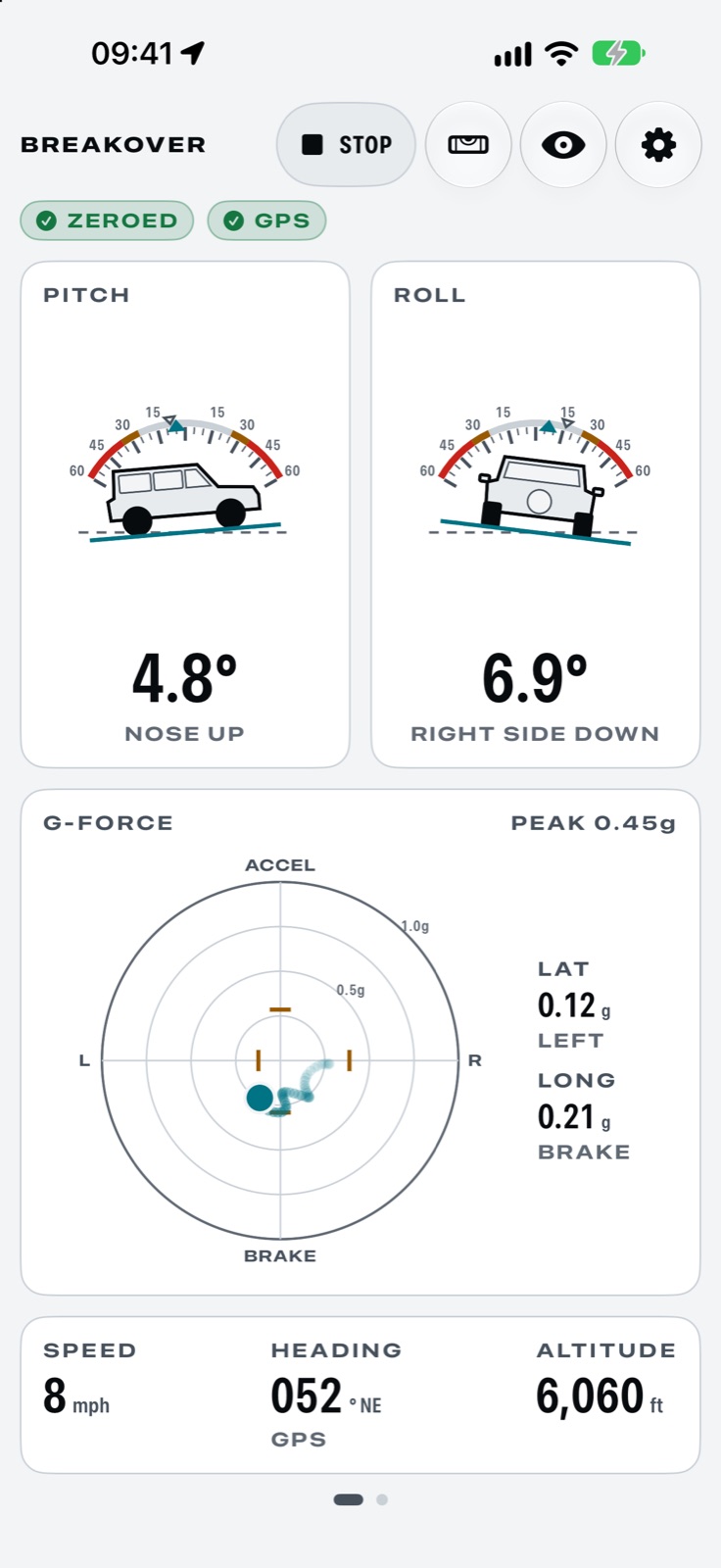
Braking, cornering and acceleration on one plot, with a fading trail and the trip's peaks.

Pro

Features

Built for the trail

37 things Breakover does, grouped by what you're trying to do.

Know your angles

6 features
  • Speed, heading and altitude

    Speed, heading and altitude along the bottom of the gauges, from GPS and the barometer.

  • Heading that suits the moment
  • Grade on the pitch gauge
  • Steady pitch while driving
  • Loose mount warning
  • Adjustable smoothing
What these do
Heading that suits the moment
Heading follows GPS course while you drive and the compass when you stop, so a steel cab can't throw it off.
Grade on the pitch gauge
The pitch reading shows the slope as a percent grade along your direction of travel.
Steady pitch while driving
Speeding up and braking lean a pitch reading; with GPS, Breakover removes that lean as you drive.
Loose mount warning
A tag appears when the phone is rattling in its cradle, because a loose mount reads the wrong angles.
Adjustable smoothing
Choose how much the gauges smooth out bumps, and the full scale of the G-force plot.

Trail data that works offline

7 features
  • Position in four formats

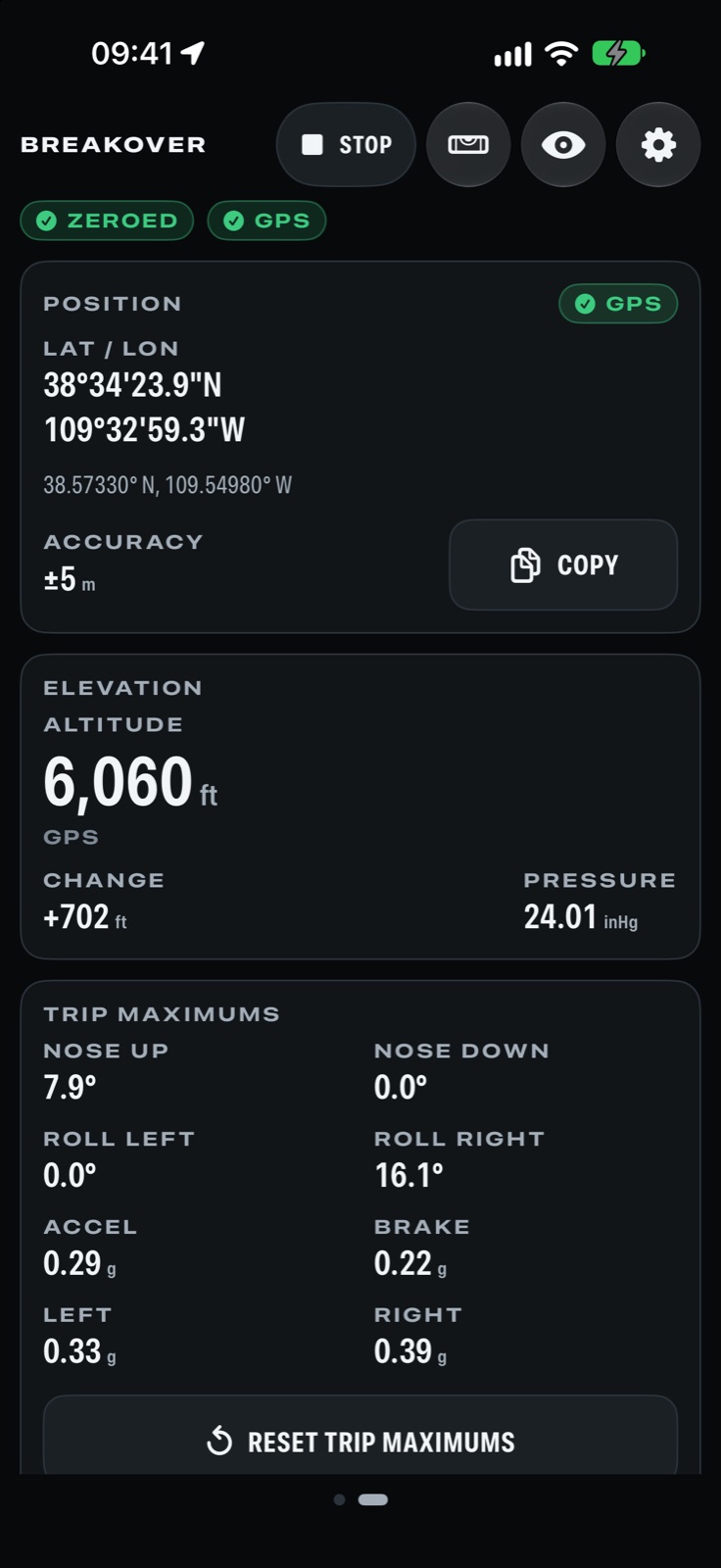
    Your position in decimal degrees, degrees minutes seconds, UTM or MGRS, ready to copy and share.
  • Barometric elevation

    Altitude from the barometer and GPS, the change since you started, and air pressure.

  • Sunrise, sunset and daylight left

    Know how much daylight is left before you commit to the next obstacle, worked out on the phone.

  • Trip statsPro
  • Trip maximumsPro
  • Pressure trend
  • Magnetic declination
What these do
Trip stats
Distance, moving and stopped time, climb and descent, highest point and top speed for the whole trip.
Trip maximums
The steepest pitch and roll and the hardest braking, cornering and acceleration of the trip.
Pressure trend
The last three hours of air pressure with a plain hint when it is falling fast and weather may turn.
Magnetic declination
See the difference between magnetic north and true north where you are, for working with paper maps.

Alerts that don't nag

5 features
  • Limit alerts

    Spoken and on-screen warnings as you approach the angles you set, announced once per climb, never nagging.

    Pro
  • Limits you set

    Set caution and warning angles for pitch and roll, and see them as colored bands on the gauges.

  • Keeps measuring when locked
  • Nothing runs until you start
  • Quiet while zeroing
What these do
Keeps measuring when locked
Measuring and spoken alerts carry on with the phone locked or another app in front, until you tap Stop.
Nothing runs until you start
Breakover only uses the sensors, GPS and audio between Start and Stop, so it never drains the battery in your pocket.
Quiet while zeroing
Zeroing never starts a measuring session or sets off alerts while you are trying to level the phone.

Vehicles and tracks

6 features
  • GPS tracks

    Record drives with pitch, roll and g at every point, for one drive or every session, at the detail you choose.

    Pro
  • Vehicle profiles

    Keep each vehicle's alert limits and mounts together, and switch between vehicles in Settings or from CarPlay.

    More with Pro
  • Zeroing saved per mount
  • Elevation and tilt chartsPro
  • GPX, GeoJSON and CSV exportPro
  • Hide where you startedPro
What these do
Zeroing saved per mount
Each mount keeps its own zeroing, so moving the phone from the dash to the windshield needs no redo.
Elevation and tilt charts
Each saved track shows its elevation profile and pitch and roll over time, with your limits drawn in.
GPX, GeoJSON and CSV export
Share a track as GPX, GeoJSON or CSV, with pitch, roll and g included for your own analysis.
Hide where you started
Exports can leave out the first and last 200 or 500 meters so home stays private.

Everywhere you look

6 features
  • Everything on one iPad screen

    On iPad the gauges, G-force and trail data share one screen in portrait or landscape.
  • Live Activity

    Pitch, roll and alerts on the Lock Screen and in the Dynamic Island, with a Stop button.

    Pro
  • Home and Lock Screen widgets

    See whether you are measuring and your last trip's steepest angles, and start a session with one tap.

    More with Pro
  • Start from Control Center
  • Start and stop with Siri
  • Heat and battery care
What these do
Start from Control Center
A Start Measuring button for Control Center, the Lock Screen and the Action button.
Start and stop with Siri
Say "Start measuring in Breakover" or use the Shortcuts app.
Heat and battery care
Warns when the phone runs hot or the battery is low, and slows the sensors to cool it down.

Made for the cab

4 features
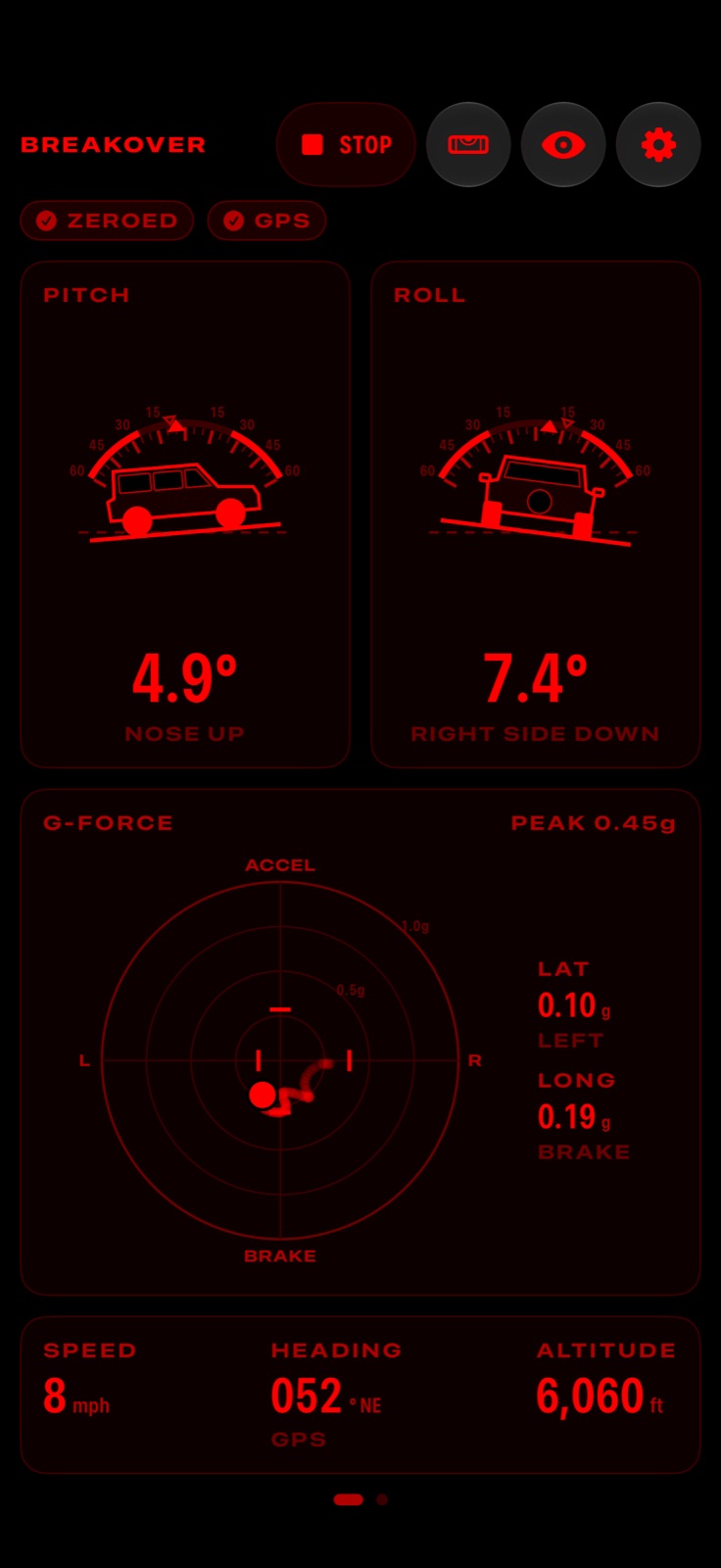
  • Night red mode

    An all-red display that keeps your night vision on dark trails, covering every screen.

    Pro
  • Imperial or metric
  • Screen stays on
  • Mounting guide
What these do
Imperial or metric
Miles, feet and inches of mercury, or kilometers, meters and hectopascals.
Screen stays on
The screen stays awake while you are measuring, so the gauges are there when you glance.
Mounting guide
A short guide on first launch shows how to mount the phone and zero it for good readings.

Private and accessible

3 features
  • Works without signal

    Every gauge and all trail data come from the phone's own sensors and work anywhere GPS reaches.

  • No account, no tracking

    No sign-up, no ads and no data collected. Tracks stay on your phone unless you export one.

  • VoiceOver and larger text
What these do
VoiceOver and larger text
Every gauge reads out with VoiceOver, text scales with your size setting, and colors meet contrast standards.

Everywhere you are

One app, on every screen you use

What each device adds.

  • iPhone

    iOS 26

    • Start from Control Center
  • iPad

    iPadOS 26

    • Everything on one iPad screen

Works without signal

Every gauge and all trail data come from the phone's own sensors and work anywhere GPS reaches.

Pricing

The gauges are free

Pitch and roll, zeroing, speed, heading, altitude, position and sun times are free. Breakover Pro is $3.99 a month, $24.99 a year with a 7-day free trial, or $59.99 once, and works with Family Sharing.

Free

The gauges, zeroing and trail data, offline.

  • Pitch and roll gauges
  • Zero to any mount
  • Works without signal
  • Speed, heading and altitude
  • Position in four formats
What each plan includes
FeatureFreePro
Vehicle profilesOne vehicle with its own limits and mountsAny number of vehicles
Home and Lock Screen widgetsMeasuring state and a Start buttonPlus your last trip's steepest angles
G-force meterNot includedIncluded
Limit alertsNot includedIncluded
GPS tracksNot includedIncluded
Trip statsNot includedIncluded
Trip maximumsNot includedIncluded
Elevation and tilt chartsNot includedIncluded
GPX, GeoJSON and CSV exportNot includedIncluded
Live ActivityNot includedIncluded
Night red modeNot includedIncluded
Hide where you startedNot includedIncluded

Uses the iPhone's or iPad's own motion sensors. Position, speed and trip data need GPS (Wi-Fi only iPads have none). CarPlay needs a compatible car.

Questions

Before you download

How much does it cost?

Pitch and roll, zeroing, speed, heading, altitude, position and sun times are free. Breakover Pro is $3.99 a month, $24.99 a year with a 7-day free trial, or $59.99 once, and works with Family Sharing.

Which devices does it run on?

iPhone (iOS 26 or later), iPad (iPadOS 26 or later), CarPlay (coming soon).

What do I need?

Uses the iPhone's or iPad's own motion sensors. Position, speed and trip data need GPS (Wi-Fi only iPads have none). CarPlay needs a compatible car.

What happens to my data?

Exports can leave out the first and last 200 or 500 meters so home stays private.

Something else? Ask us.

Breakover

Inclinometer and G-force meter

Coming soon. Get one email when Breakover launches, and nothing else.